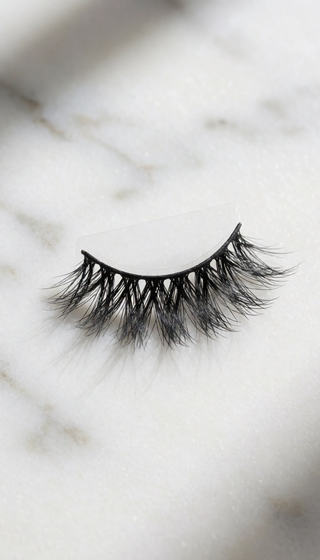
STREAMER LASHES: HOW TO MAKE EYES POP ON CAMERA

My friend Miri streams to 40 people on a good night. She has gorgeous lashes in real life — long, dark, and curly. On stream, she looks like she has no lashes at all. One viewer actually asked if she'd shaved them off. That's when she texted me: "Lina, why do my lashes hate me on camera?"
This is not a lash problem. It's a camera problem. And once you understand how your webcam sees your face, you'll stop blaming your lashes and start fixing the actual disconnect.
WHY YOUR LASHES LOOK GONE ON CAMERA (EVEN WHEN THEY'RE NOT)
Most webcams compress light, contrast, and detail. A single lash hair is about 0.04 millimeters thick. On a 720p or 1080p stream, that individual hair is too small to register. What the camera sees is just dark texture — and if that texture isn't concentrated in a defined line, it gets crushed into shadow and disappears. In other words, your camera is not looking for lashes. It's looking for shapes.
This is why streamers with naturally full lashes still look "lashless" on a low-quality camera. And it's why the fix isn't more mascara — it's more silhouette.
THE 3 LASH MISTAKES EVERY STREAMER MAKES
- Mistake #1: Wearing mascara as your only lash product. Mascara adds volume around the lash, but the camera sees a blurry dark smudge. It doesn't create a distinct, eye-opening edge.
- Mistake #2: Curling the lashes straight up. When your lashes point straight into the camera, they cast a shadow over your iris. The camera then downgrades the contrast of your whole eye.
- Mistake #3: Using too-dark eyeliner with no lash definition. This looks bold in real life, but on camera it can make your eyes look like two dark holes — especially if your lashes aren't creating a separate layer.
HOW TO TEST YOUR LASH LOOK BEFORE YOU GO LIVE
- Turn on your ring light at the same brightness and distance you use for streaming.
- Open your camera app and zoom in to see your eye on screen. If your lash line blends into your eye shadow, it's not camera-ready.
- Take a screenshot and look at it on your phone. If your lashes are invisible at 50% zoom, the live chat won't see them either.
The goal is a lash look that creates a crisp, dark outline around your eye — one that has enough volume to read as an intentional shape, not a shadow.
WHAT TO LOOK FOR IN A CAMERA-READY LASH PRODUCT
If you want your lashes to pop on camera, you need more than a curl. You need a lash product that creates a visible, defined edge on a compressed video feed. Look for a lash that keeps its shape, doesn't overwhelm the eye, and feels light enough that you forget it's there while you're talking (and screaming) at chat.
You also need it to survive a four-hour stream — no flaking, no drooping, no needing to fix it between rounds. That's the real standard for streamer lashes.
YOUR FACE ON STREAM, FINALLY ON YOUR TERMS
That's where PHANSTA LASHES comes in. They give you a full, defined lash edge that doesn't rely on layers of mascara, doesn't disappear under webcam compression, and still lets you look like you — not like a filter. You get camera-ready eyes without a makeup station, without an MUA, and without worrying if your lashes will make a weird cameo at the worst moment.
📚 Browse our complete library of lash guides →
📚 Browse our complete library of lash guides →
📚 Browse our complete library of lash guides →
Experience the Difference of PHANSTA LASHES
Quick to apply, gentle on eyes, beautiful all day. Reusable 30+ wears per pair.
SHOP PHANSTA LASHES — GLUE-FREE, 30+ WEARS →